My kids bought a small hanging solar light bulb.
There was only one problem: they did not want to hang it.
They wanted it on the desk.
So Tobias and I turned it into a small weekend maker project.
Instead of opening a CAD tool from scratch and manually building the model, I used an AI agent to help create a parametric 3D design.
The workflow was very simple:
- measure the round glass bulb
- describe the holder we wanted
- generate editable Python CAD code
- export STEP and STL files
- validate the model
- slice it
- print it
- test the physical fit
- adjust the design
The final version is a compact 3D-printed cradle: 76 × 72 × 12 mm, with a 62 mm socket for the bulb and a shallow 9.5 mm cutout so the glass sits nicely on the table.
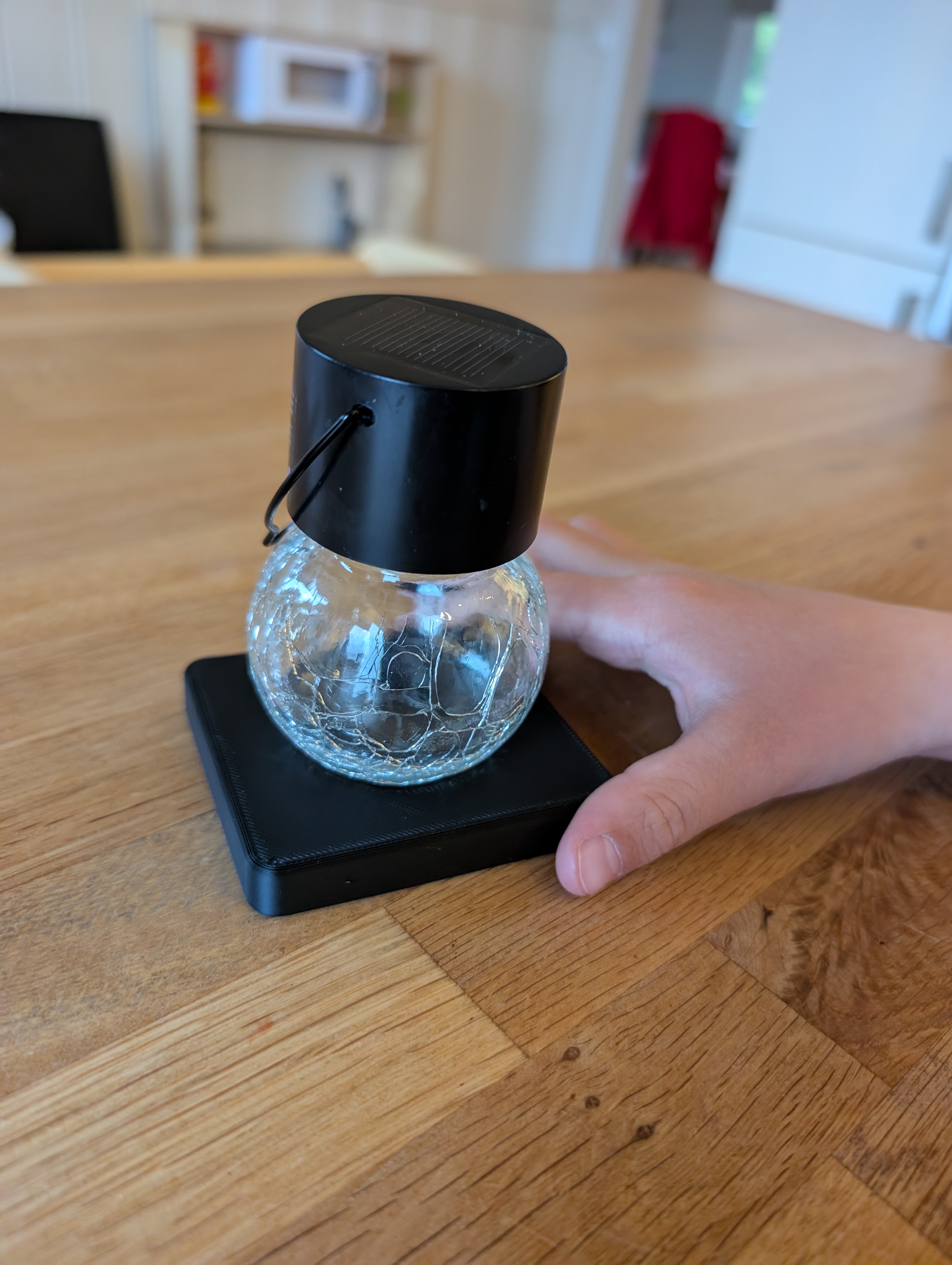
The object itself is not complicated. It is basically a small black base for a decorative cracked-glass solar bulb.
But that is exactly why I liked the project.
It was not about making something impressive. It was about showing the whole chain from a small everyday problem to a real physical object:
idea → AI-assisted design → parametric CAD → STEP/STL → slicer → printer → physical result
That loop is powerful.
The repository is structured around source-first 3D printing. The Python CAD file is the canonical source. STEP is the editable CAD export. STL is the slicer input. The agent workflow is documented so the same pattern can be reused for other small household parts.
This is where AI agents become interesting to me.
Not as chatbots.
Not as magic.
Not as “generate me a random 3D mesh”.
But as practical tools that help turn small everyday problems into something you can actually hold.
For functional 3D prints, I think this source-first approach matters. You want dimensions, clearances, tolerances, and editable code. A prompt-to-mesh result might look cool, but a parametric model is much easier to measure, regenerate, inspect, and improve after the first print does not fit perfectly.
And for Tobias, the fun part was visible: an idea became code, code became a model, the model became a print, and the print became a thing on the desk.
Honestly, that is a pretty cool thing to show your kid.
Repository and process notes: https://github.com/hajekt2/3dprint